.webp)

Let us start with a story. It is a composite of situations we see again and again with growing companies, so the business is illustrative, but the pattern is very real.
Imagine an online furniture store. We will call it Oakline. It started three years ago with two founders and a small website on a budget hosting plan. It cost a few dollars a month, the site loaded fine, and nobody thought about it again. That was the right call at the time.
Then Oakline got lucky. A home decor influencer shared one of their chairs, and traffic jumped from a few hundred visitors a day to tens of thousands in a single afternoon.
The site crawled. Pages timed out. Checkout failed. The founders watched orders slip away in real time while their hosting dashboard showed nothing useful. The only option the host offered was to upgrade to a bigger plan, which took hours to set up. By the time it was done, the wave of visitors had moved on.
That was problem one. Problem two showed up a few months later.
Oakline signed a deal with a large retail partner. Their legal team sent a questionnaire. Where is customer data stored? Who can access the servers? Can you prove who touched the database last month? Can you cut off a vendor’s access instantly if needed?
Oakline had no good answers. Their developer, a freelancer, still had a shared login from two years ago. Nobody knew exactly who else did. The deal stalled.
Problem three arrived quietly. A marketing tool they had connected to their store was pulling far more customer data than anyone realized, and there was no simple switch to turn it off.
Oakline did not fail because they chose cheap hosting. They failed to notice when cheap hosting stopped being the right tool. Everything that follows in this article is the explanation of what Oakline should have moved to, and why.
Cheap Hosting Is Not Bad, It Is Just Built for a Different Job
Providers like Hostinger are great for what they are designed for. A personal blog, a portfolio, a small business site, a simple landing page. Quick to set up, easy to understand and very affordable.
The easiest way to picture it is a rented desk in a shared office. It is cheap, it is convenient, and it works well when you are small. But you cannot rearrange the room. You cannot install your own locks. You cannot control who walks past your desk. And when you need more space, you wait for the building owner.
A cloud platform like AWS, GCP or Azure is closer to leasing a whole floor in a building. You decide the layout, you hold the keys, you add rooms when you need them and remove them when you do not.
Looking Back at Oakline’s Problems
Let us walk through what went wrong and how a cloud platform answers each problem.
Problem One, The Traffic Spike
On a budget plan, your capacity is basically fixed. When a flood of visitors arrives, the system has no easy way to grow, so it slows down or crashes.
On the cloud, capacity can grow on its own. When traffic rises, extra servers switch on automatically. When traffic drops, they switch off. You only pay for what you used. Oakline would have handled the influencer moment without anyone touching a button, and the sales would have been captured instead of lost.
If you want to see how this works in practice, Amazon Web Services offers a free tier where you can try automatic scaling yourself with no big commitment.
Problem Two, The Questions Nobody Could Answer
Serious customers want proof. Where is the data? Who can access it? What happened and when?
Cloud platforms are built for exactly this. Every action can be recorded in an audit log, so you can say who did what and at what time. You can pick the exact country or region where your data lives. And the big providers maintain extensive security and compliance programs, so you are not starting from zero when a client asks for evidence.
This is the moment where many companies realize that hosting is not only about speed, it is about trust.
Problem Three, The Tool That Took Too Much Data
This is the one that worries us most, because it is invisible until something goes wrong. So let us spend the next section on it properly.
How You Control Your Infrastructure on the Cloud
Control sounds like a technical word, but it really comes down to a few simple ideas.
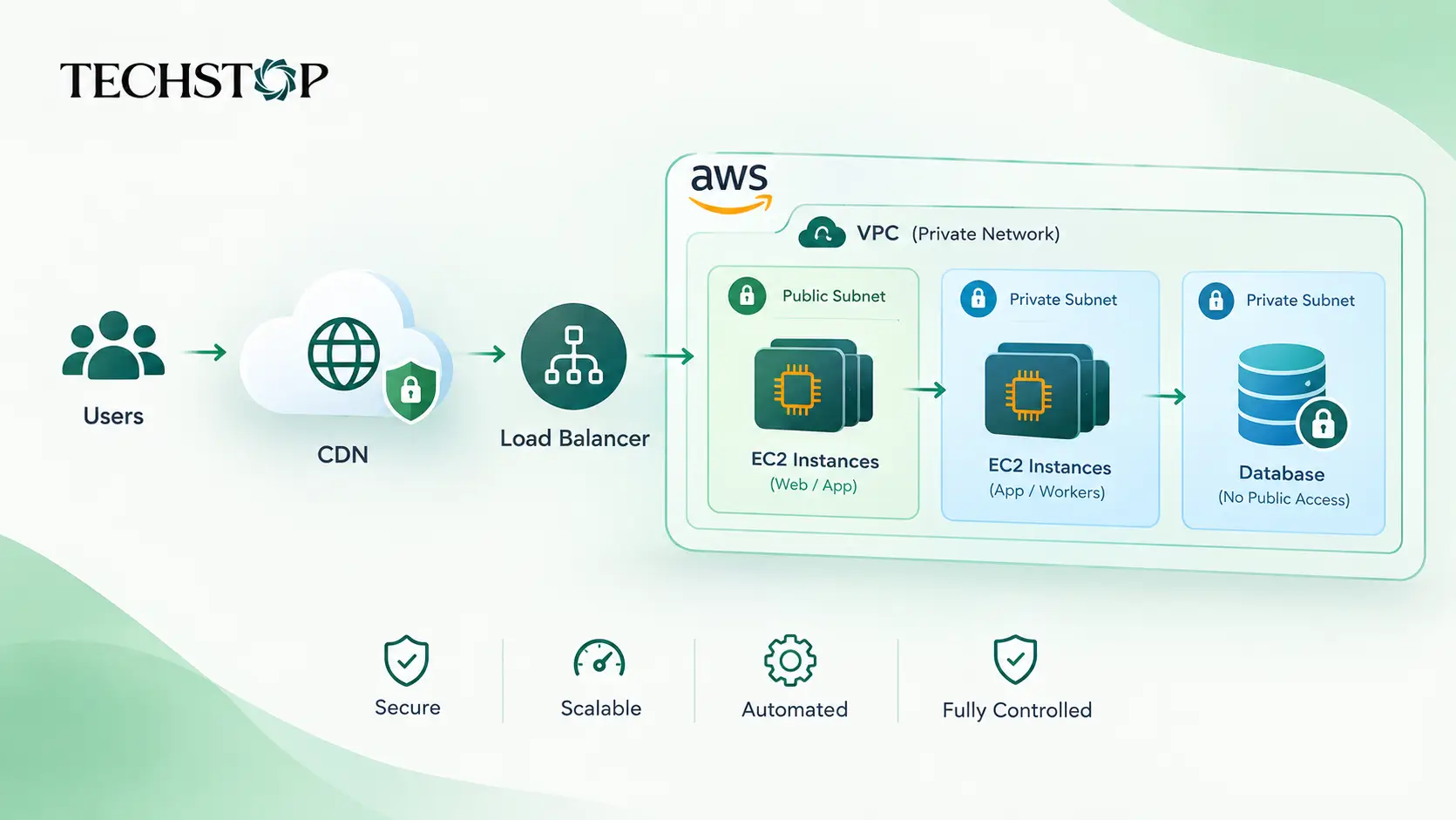
Who gets a key, and to which door. On cloud platforms you create an identity for every person and every tool, and you decide exactly what each one can do. A designer can upload images but cannot touch the database. A contractor can see one folder, not everything. This idea is called least privilege, and it simply means giving people only what they need.
Which rooms are open to the street. You can place your important systems, like databases, in private areas that have no public route at all. Your website is the shop front, and the database is the back office behind a locked door. On budget hosting, this kind of separation is limited or not available.
Everything written down as a recipe. Modern teams describe their whole setup in code files, so it can be reviewed, tracked and recreated exactly. If something breaks, you rebuild from the recipe. If your freelancer leaves, the knowledge is not trapped in their head.
Rules that nobody can accidentally break. You can set company wide rules such as “no storage is ever allowed to be public” or “data may only live in these approved regions.” Even a well meaning team member cannot override them by mistake.
If your company already works heavily with Microsoft tools, Microsoft Azure is worth a look, since it connects naturally with the identity and office systems many businesses already use.
How You Stop Third Parties From Accessing Your Data
Now back to Oakline’s third problem. A marketing tool was taking more data than anyone knew. Here is how cloud platforms let you shut that down.
Lock your data with a key that only you hold. Everything stored on the cloud can be encrypted, which means scrambled so it is unreadable without a key. The important part is who owns that key. With customer managed keys, you do. If you disable the key, the data becomes unreadable to anyone relying on it. Think of it as a safe where you are the only person with the combination.
Give temporary passes instead of permanent ones. Instead of handing a vendor a password that lives forever, you give them a pass that works for a limited time and only for specific data. When the time is up, the access disappears by itself. Nobody has to remember to remove it.
Close the doors by default. You can block public access to storage across your entire company with one setting. You can also limit which networks and which identities can reach sensitive services. If a tool was never approved, it simply cannot get in.
Keep a clear record. Because every access is logged, you can see exactly which tool read which data and when. That alone would have caught Oakline’s marketing tool months earlier.
Get alerted when something looks strange. Built in security services watch for odd behavior, like a login from an unusual place or a huge amount of data suddenly leaving. You get a warning before it becomes a headline.
Remove people in one place. When a vendor contract ends or an employee leaves, you remove their access from a single central location. No hunting through old logins, shared passwords and forgotten control panels like Oakline had to.
Teams that care most about analytics and data work often enjoy Google Cloud, which is especially strong when you need to make sense of large amounts of information while keeping tight control over who sees it.
Why the Long Run Favors the Cloud
Here is the honest money picture, in plain language.
Cheap hosting is cheaper this month. The cloud is cheaper over the life of a growing business. The reasons are simple.
You stop paying for capacity you rarely use, because the cloud grows and shrinks with demand. You save your engineers’ time, because things like backups, monitoring and databases are handled by ready made services. And you avoid the emergency migration, which is the most expensive kind of move, the one you are forced to make in the middle of a crisis with customers waiting.
Oakline eventually did the migration anyway. They just did it in a panic, after losing sales and nearly losing a major partner. Doing it early, calmly and on their own terms would have cost far less.
A Fair Warning About Owning Your Stack
Moving to AWS, GCP or Azure does not mean you own everything. You are still renting, and it is easy to become dependent on one provider’s special tools.
So stay smart about it. Keep your setup written as code so you can recreate it elsewhere. Use common, open technologies where you can. Keep backups you can restore somewhere else. Hold your own encryption keys. And keep a real person accountable for sensitive decisions like permissions and production access instead of leaving everything to automation. Control comes from your choices, not from the logo on the platform.
When Cheap Hosting Is Still the Right Call
If you run a small website with no sensitive customer data and no big growth plans, stay where you are. Do not overcomplicate it.
It is time to think about moving when several of these are true. You store customer data you are responsible for. More than a few people or vendors need access to your systems. Clients ask about security or compliance. Your traffic is unpredictable. A slow or crashed website would cost you real money.
If two or three of those sound familiar, you are standing where Oakline stood before their wake up call.
How to Start Without Breaking Anything
You do not need to move everything at once. A calm approach looks like this.
List what you have today and who has access to each piece.
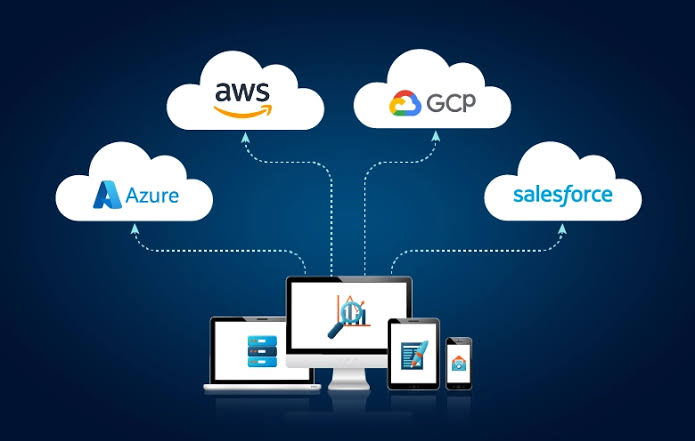
Pick one platform that suits your team. AWS has the widest range of services, Azure fits Microsoft heavy companies, and GCP shines for data work.
Set up identity and safety rules first, before moving anything.
Move one small, low risk part of your business and learn from it.
Turn on encryption with your own keys from day one.
Move the rest in stages, always with a backup and a way to go back.
Final Thoughts
Oakline’s story is not about a company that made a bad choice. It is about a company that kept a good early choice for too long.
Cheap hosting is a great place to start and a risky place to stay. As your business grows, you need systems that scale with you, doors that you control and the ability to say with confidence who can see your data and who cannot.
If you are planning a move to the cloud, or you want a second opinion on your current setup before a problem forces the conversation, the TechStop team is happy to help you plan it properly from the start.